
myWell1.4.1 - Get APK
You'll be able to download in few seconds.
Publisher Description

The MARVI project is funded by the Australian Centre for International Agricultural Research and is focused on developing a village level participatory approach, models and tools to assist in improving groundwater supplies and reducing its demand through the direct involvement of farmers and other affected stakeholders.
A unique feature of MARVI is the use of scientific measurements by citizens through the engagement of Bhujal Jankaars (BJs), a Hindi word meaning ‘groundwater informed’ volunteers. With appropriate training and capacity building, BJs monitor groundwater levels and quality, making sense from a village perspective of what is happening to village groundwater availability. BJs convey this information to farmers and others in their own language.
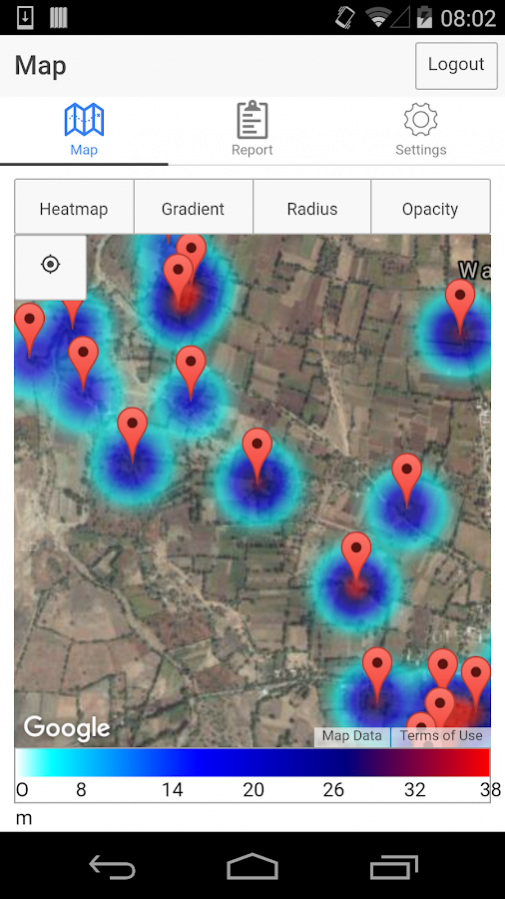
MyWell app is designed to assist BJs to record groundwater level depth and rainfall amount data to a and transmit those data to a central location. Through this app, data collected by BJs are widely available for understanding watertable fluctuation in a particular well, village or post code. This information then can be used for understanding groundwater availability and making decision on how much area can irrigated in a given season. The app is designed for use in any part of India and can be adapted for other countries.
MARVI Partners
• Western Sydney University, Australia
• CSIRO Land & Water, Australia
• International Water Management Institute, Sri Lanka
• Development Support Centre , India
• Arid Communities and Technologies, India
• Maharana Pratap University of Agriculture and Technology, India
• Vidhya Bhawan Krishi Vigyan Kendra, India
About myWell
The company that develops myWell is Lewis Daly. The latest version released by its developer is 1.4.1.
To install myWell on your Android device, just click the green Continue To App button above to start the installation process. The app is listed on our website since 2017-12-08 and was downloaded 0 times. We have already checked if the download link is safe, however for your own protection we recommend that you scan the downloaded app with your antivirus. Your antivirus may detect the myWell as malware as malware if the download link to com.ionicframework.ionicrainapp175406 is broken.
How to install myWell on your Android device:
- Click on the Continue To App button on our website. This will redirect you to Google Play.
- Once the myWell is shown in the Google Play listing of your Android device, you can start its download and installation. Tap on the Install button located below the search bar and to the right of the app icon.
- A pop-up window with the permissions required by myWell will be shown. Click on Accept to continue the process.
- myWell will be downloaded onto your device, displaying a progress. Once the download completes, the installation will start and you'll get a notification after the installation is finished.
Program Details
System requirements
Download information
Pricing
Version History
version 1.4.1
posted on 2017-12-08
version 1.1.0
posted on 2016-11-15
- A new search feature, allowing you to search for different wells!.,- Improved offline features,- Switched to a new mapping provider.
version 1.0.3
posted on 2016-08-27
More statistics!,Fixes for well accuracy and naming.,Submitting well levels fixes
Disclaimer
External Download
We do not host myWell on our servers. We did not scan it for viruses, adware, spyware or other type of malware. This app is hosted by Galad and passed their terms and conditions to be listed there. We recommend caution when installing it.
The APK Download link for myWell is provided to you by apps112.com without any warranties, representations or guarantees of any kind, so access it at your own risk.
If you have questions regarding this particular app contact the publisher directly. For questions about the functionalities of apps112.com contact us.
